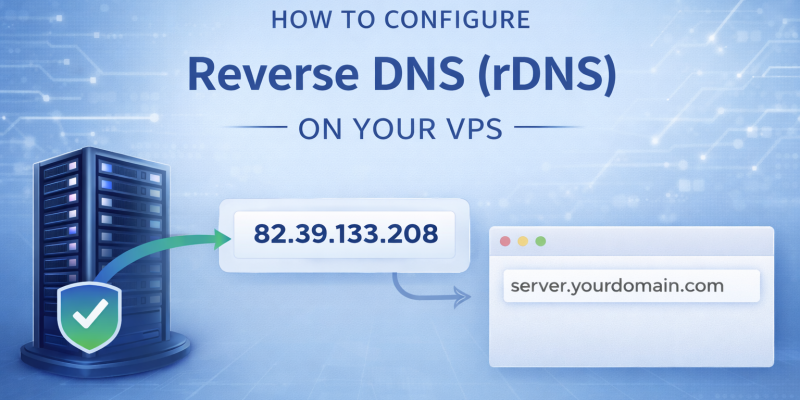
This guide explains how to configure Reverse DNS (rDNS) for your VPS using the VirtFusion control panel.
rDNS is essential if you plan to send emails from your VPS, as many mail servers will reject messages without a valid reverse DNS record.
What is Reverse DNS (rDNS)?
Reverse DNS maps your VPS IP address back to a hostname (domain name).
For example:
IP Address: 82.39.133.208
rDNS: server.yourdomain.com
This helps verify your server identity and improves email deliverability.
Before You Start (Important)
Before setting rDNS, make sure you have:
- A domain name (e.g. yourdomain.com)
- A DNS A record pointing to your VPS IP
Example:
server.yourdomain.com → 82.39.133.208
Important: The forward DNS record must exist before setting rDNS, otherwise it may fail.
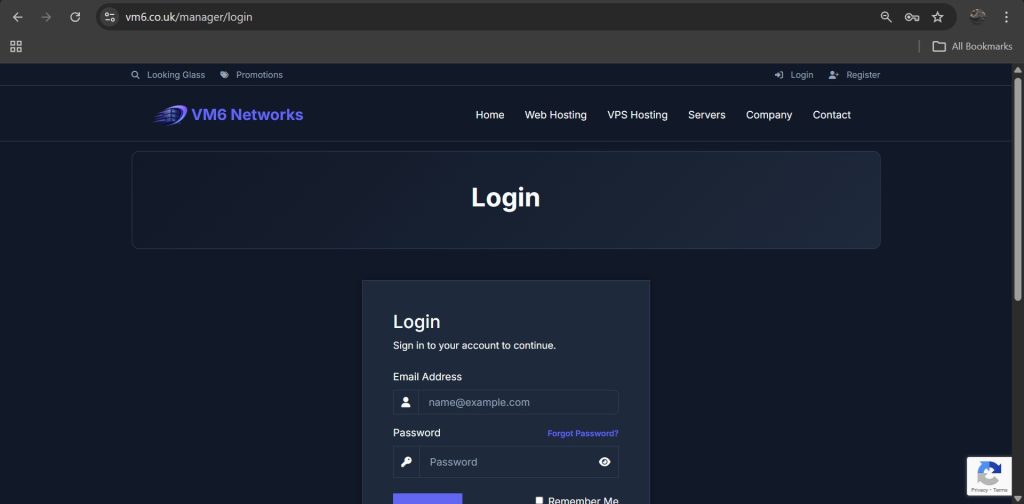
Step 1 — Login to the Client Area
- Open your browser
- Login to your VM6 client area
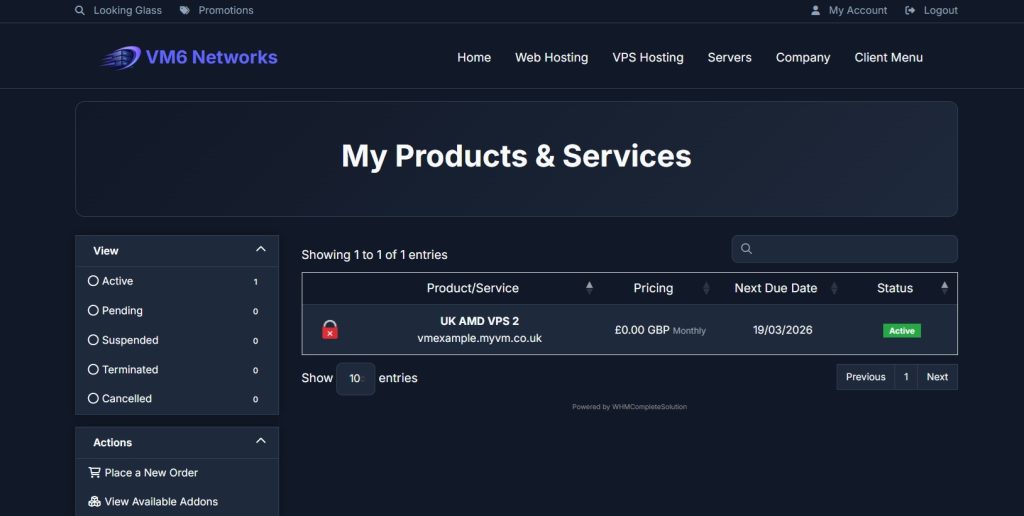
Step 2 — Open Your VPS
- Go to Client Menu
- Click My Services
- Select your VPS
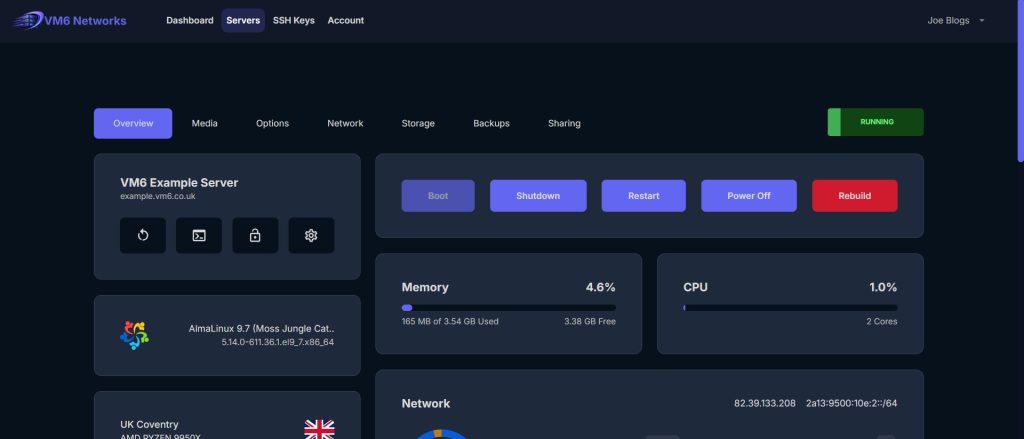
Step 3 — Open VPS Control Panel
Click:
Open VPS Control Panel
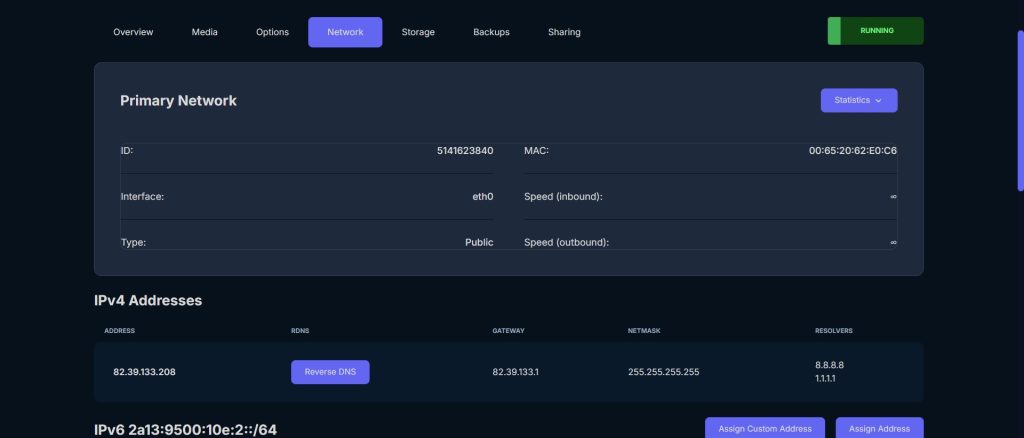
Step 4 — Go to Network Tab
At the top of the VPS Control panel, click:
Network
Step 5 — Locate Your IP Address
Scroll down to the section:
IPv4 Addresses
You will see your VPS IP listed along with a button:
Reverse DNS
Step 6 — Open Reverse DNS Settings
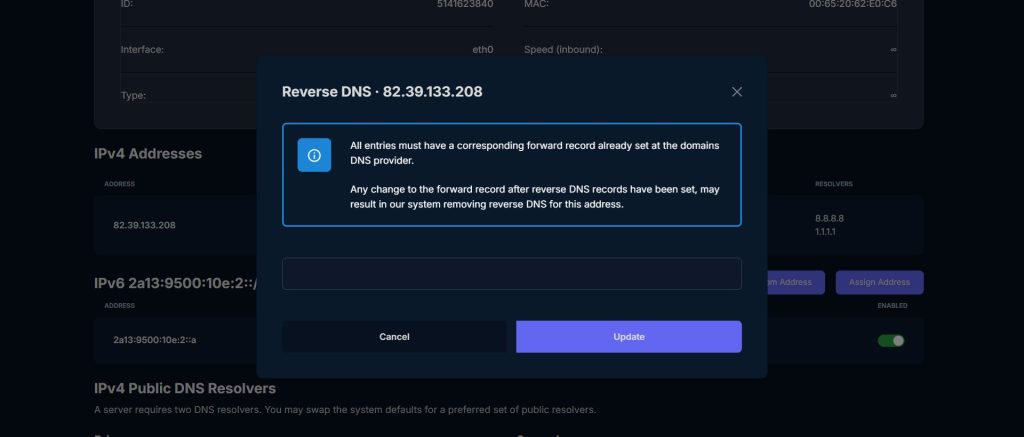
- Click Reverse DNS
A popup window will appear.
Step 7 — Enter Your Hostname
In the input field, enter your hostname (domain):
server.yourdomain.com
Important Rules:
- Must be a valid domain or subdomain
- Must match your forward DNS record
- Do NOT use just a domain (use a subdomain)
Good Examples:
- server.yourdomain.com
- mail.yourdomain.com
- vps1.yourdomain.com
Step 8 — Save rDNS
- Click Update
Your reverse DNS record will now be applied.
Step 9 — Verify rDNS (Optional)
You can check your rDNS using tools like:
nslookup 82.39.133.208
Or online rDNS checkers.
Common Issues & Fixes
rDNS Not Saving
- Make sure your domain has an A record pointing to your VPS
- Wait for DNS propagation (can take a few minutes)
Email Still Going to Spam
- Ensure rDNS matches your hostname exactly
- Set up SPF, DKIM, and DMARC records
Invalid Hostname Error
- Use a full domain (not just “server”)
- Avoid spaces or special characters
Best Practices
- Always match rDNS with your mail server hostname
- Use a clean subdomain (e.g. mail.domain.com)
- Keep DNS records consistent
Summary
Setting up reverse DNS is quick and essential for VPS users, especially if you plan to send email. With VirtFusion Control Panel, you can configure rDNS in just a few clicks from the Network tab, UK VPS Hosting more info.