Fast UK Web Hosting,
Without the cPanel Tax
Blazing-fast websites on AMD Ryzen 9 servers in UK datacentres — with free SSL, daily backups and the modern WebDeck control panel. A genuine cPanel alternative, with no per-account licence fees and free migration handled by our UK team.
Web hosting built on fast UK servers and a modern control panel
Choosing UK web hosting should be simple: a fast server close to your visitors, a control panel that doesn't fight you, security switched on from day one, and support from people who actually run the platform. That's what VM6 web hosting is. Your website lives on AMD Ryzen 9 servers with NVMe SSD storage in UK datacentres, managed through WebDeck — our own modern hosting control panel — with free SSL, daily backups and one-click apps built in.
We built WebDeck because the traditional panels had become slow, dated and expensive — much of that cost being per-account licence fees passed straight on to you. WebDeck carries none of those fees, which is a big part of why our hosting stays affordable without cutting corners on hardware or support. If you're comparing cheap web hosting UK options, look past the headline price to what's actually under the bonnet: ours is genuinely fast hardware in the UK, not oversold shared boxes.
UK web hosting plans
Every account is powered by the same fast AMD Ryzen 9 9950X hardware with NVMe SSD, includes free SSL, daily backups, full isolation, email and the WebDeck panel, and comes with a 14-day money-back guarantee. Prices exclude VAT.
- 1 website
- WordPress Manager
- Free SSL & daily backups
- WebDeck control panel
- Free migration
- Up to 2 websites
- Larger resource pool per site
- Priority UK support
- Up to 4 websites
- Larger resource pool per site
- Highest priority support
- Dedicated IP address
Need to host client sites and resell hosting? See our UK reseller hosting. Need a full server of your own? Compare UK VPS hosting.
We move your sites for you. Free.
Nobody puts off changing host because they're happy — they put it off because migration sounds like a weekend of broken email and DNS. So we do it, at a time that suits you, and nothing goes live until you have checked it.
You send us the details
Your current host's control panel login, or just a cPanel backup. One ticket, two minutes of your time.
We copy everything across
Files, databases, email accounts and their contents, cron jobs and DNS records. We test on our servers while your existing setup stays live and untouched.
You check it, then we switch
We give you a preview link. Only when you are happy do we move DNS — usually out of hours, so visitors never notice.
VM6 against a typical UK cPanel host
Not every host is worse than us at everything, and we are not going to pretend otherwise. Here is where the differences actually sit.
| VM6 + WebDeck | Typical cPanel host | |
|---|---|---|
| Control panel licence | Included — we wrote the panel | Priced per account, passed on to you |
| PHP version per website | Yes — every site on its own isolated PHP | Usually one version per account |
| Processor | AMD Ryzen 9 9950X, Zen 5, DDR5 | Often a decade-old Xeon |
| Storage | PCIe Gen4 NVMe throughout | NVMe on the top tier, SATA below |
| Migration | Free, done by our engineers | Free for one site, then chargeable |
| SSL certificates | Free on every site, auto-renewed | Free basic, upsold beyond that |
| Backups | Daily, 7-day retention, restore yourself | Daily, restore often chargeable |
| Who answers your ticket | The engineer with root on the server | First-line support, then escalation |
| Where your data sits | UK datacentres, UK registered company | Varies — often resold from overseas |
| Cheapest entry price | Competitive, not the cheapest | Often cheaper on the headline rate |
What is WebDeck — and how does it compare to cPanel?
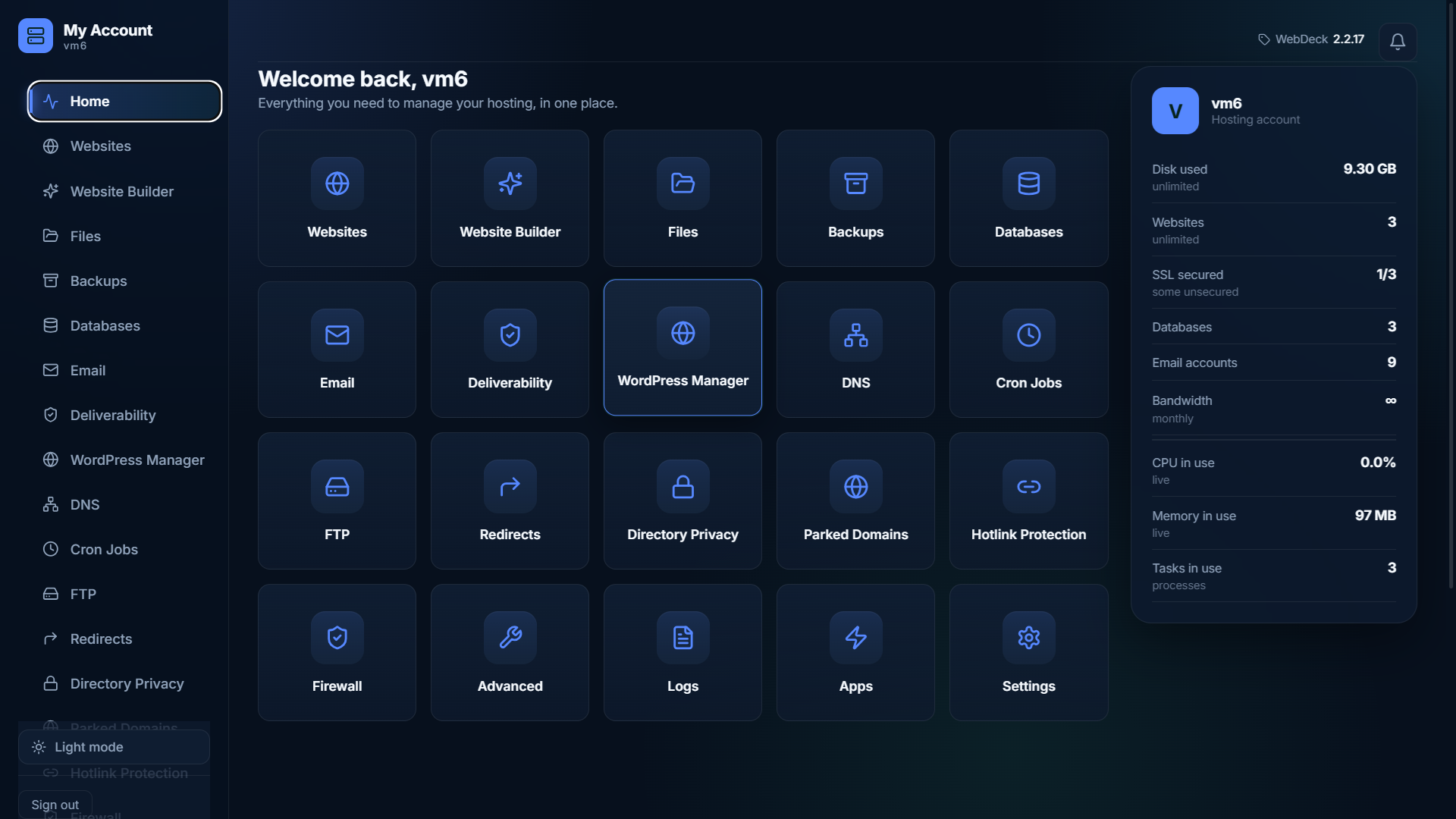
WebDeck is our own modern hosting control panel, built from the ground up for today's Linux servers. It's the software you use to run everything on your hosting account — creating websites, managing email and DNS, installing apps, handling databases, backups and SSL — all from one clean, fast interface. It's genuinely new: designed in the last couple of years rather than bolted together over two decades, so it's quicker, simpler and doesn't carry the baggage (or the licence fees) of the older panels.
If you've used cPanel before, you'll find WebDeck instantly familiar but noticeably lighter and cleaner. And because we build and run it ourselves, we can fix things and add features fast — you're not waiting on a third-party vendor. Here's how the two stack up for a typical UK website owner:
| Feature | WebDeck (VM6) | Traditional cPanel |
|---|---|---|
| Per-account licence fees | None — included free | Licence cost per account |
| Free SSL (Let's Encrypt) | Yes, auto-renewed | Yes |
| One-click apps | 58 apps built in | Via third-party installers |
| Per-site resource isolation | Built in — no CloudLinux needed | Needs CloudLinux (extra licence) |
| Multiple PHP versions | Yes, per website | Yes |
| Interface | Modern & fast | Long-established, heavier |
| Daily backups | Included | Often a paid add-on |
| Free migration onto it | Yes, done for you | Varies by host |
| UK-based support from the team that builds it | Yes | Vendor-dependent |
Want the full technical rundown? Explore the complete WebDeck feature list and documentation.
A complete hosting stack, not a collection of half-features
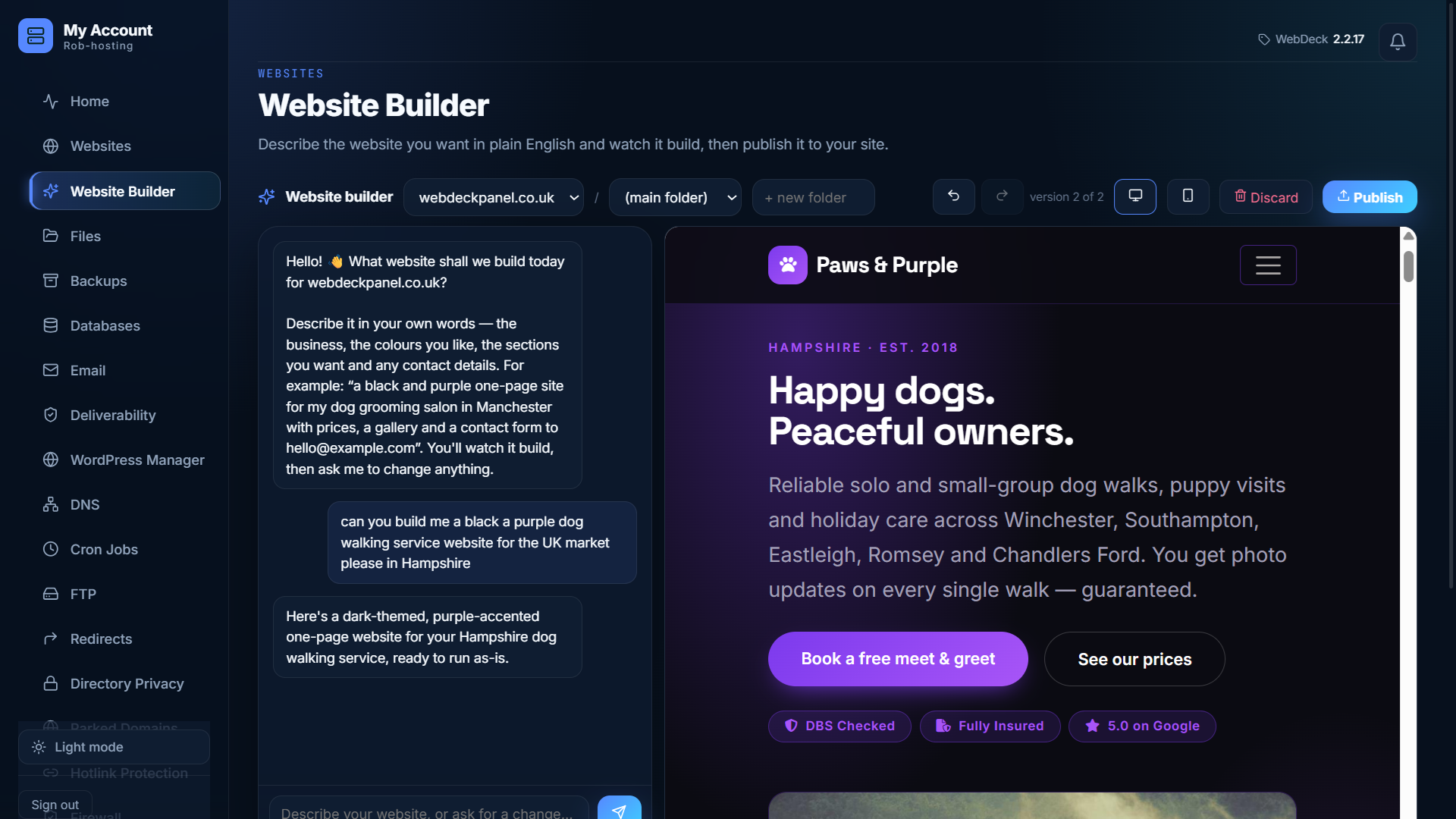
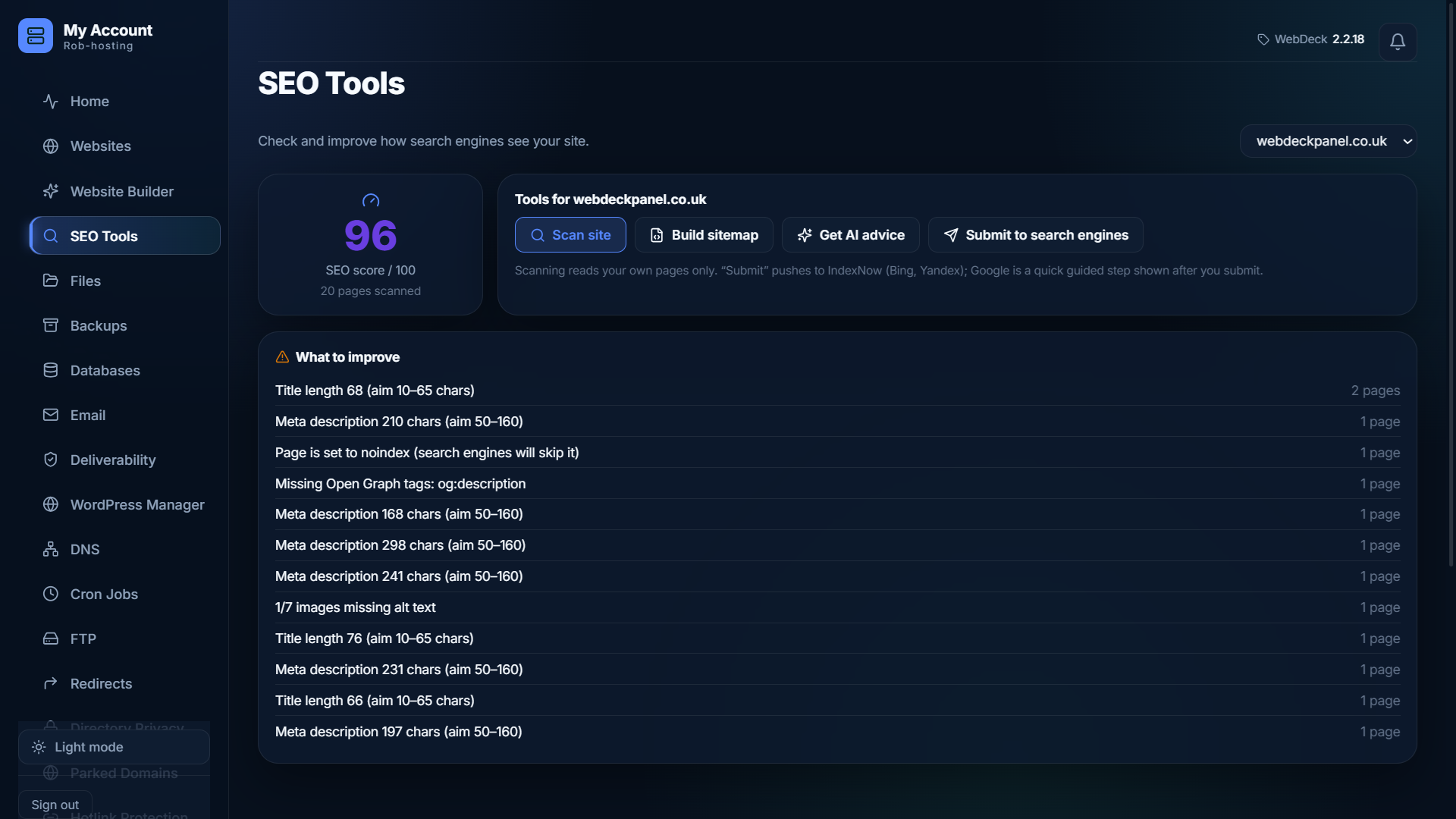
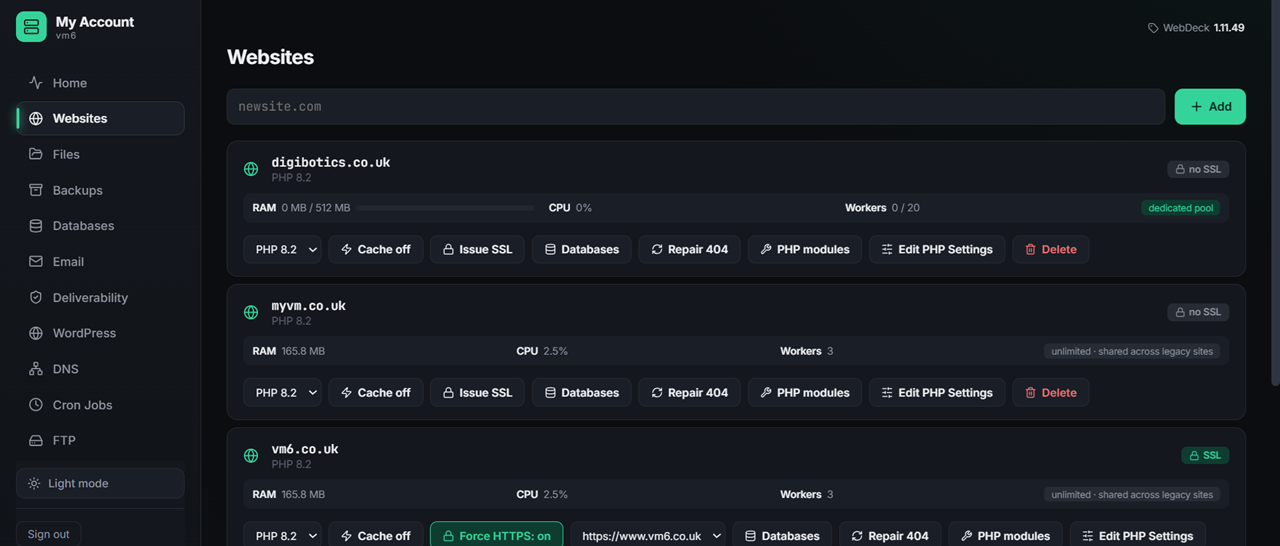
Every website you host is managed from the WebDeck control panel. Here's what's built in — websites, apps, email, DNS, databases, backups, security and more.
Websites & domains
Create a site and WebDeck does the lot: virtual host, document root, PHP pool, DNS zone and SSL certificate. Then hands you the tools to run it.
- One-step site creation — vhost, docroot, DNS and SSL together
- Apache, nginx or OpenLiteSpeed — switch stack without rebuilding
- Free Let's Encrypt SSL, issued and renewed automatically
- Force HTTPS per site, one toggle
- URL redirects — 301s and 302s, managed from the panel
- Page caching for an instant speed-up
- Add-on domains and subdomains

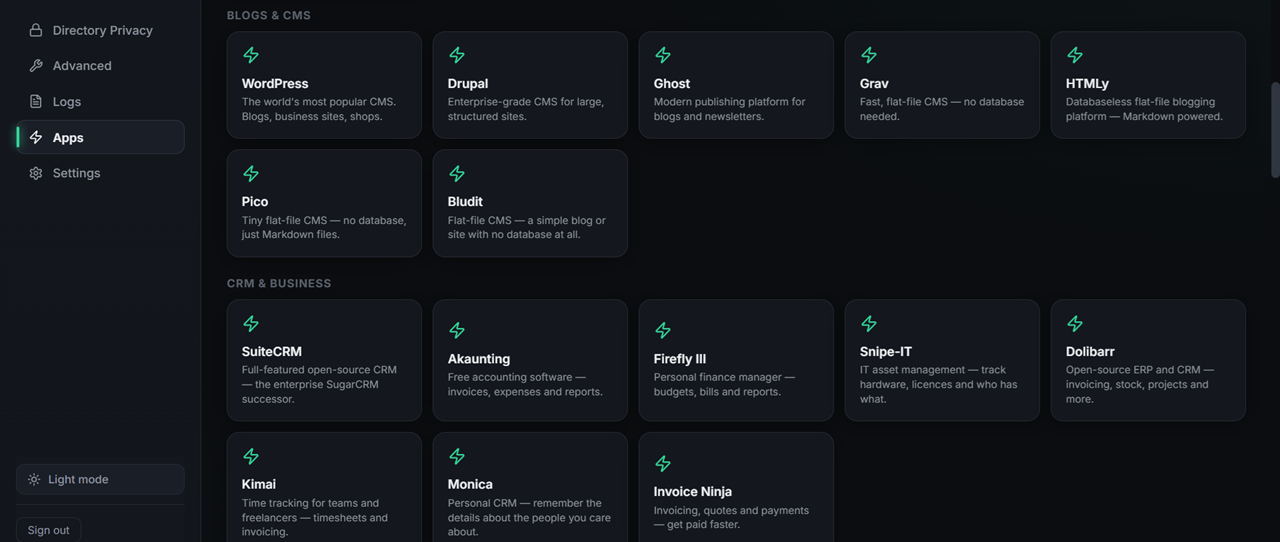
58 one-click apps
Not a token WordPress button. Fifty-eight applications, each installed properly — database created, permissions set, config written, SSL live from the first request. Apps that need Composer get their dependencies installed too, so they actually run.
- WordPress — plus a WooCommerce shop variant
- Magento, PrestaShop, OpenCart — full e-commerce
- Nextcloud — private file sync and share
- Moodle — a complete learning platform
- Ghost, Drupal, Joomla — blogs and CMS
- Install them yourself — no command line, no fuss
- See all 58 apps ↓

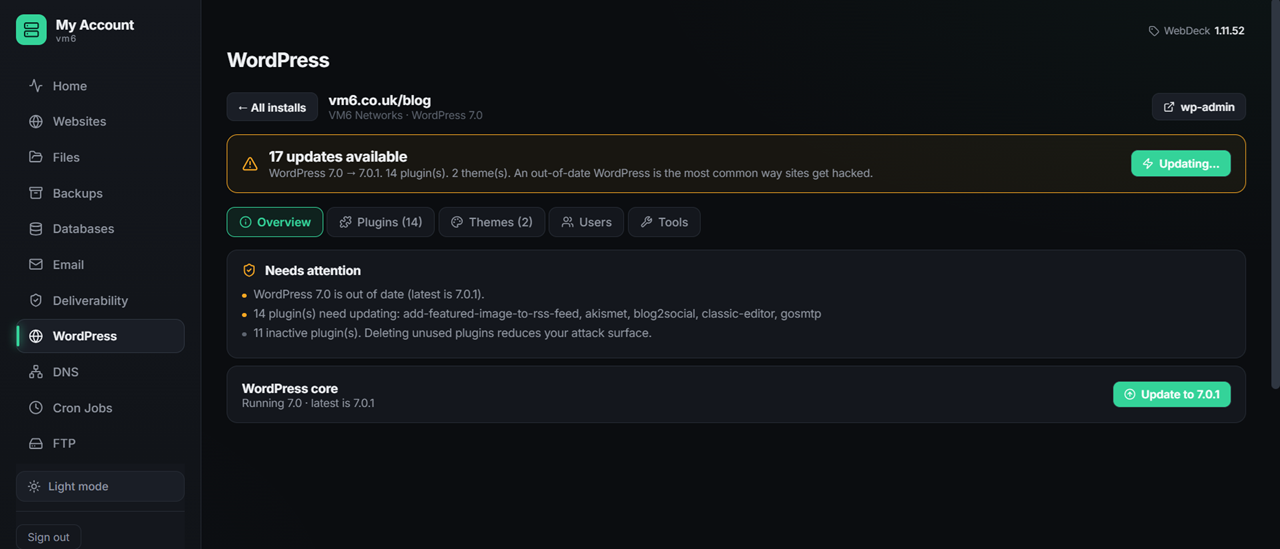
WordPress manager
Every WordPress site in one place. Install, log in with one click, manage plugins and themes, run updates and set the PHP version — without leaving the panel.
- One-click admin login — no passwords to hunt for
- Update core, plugins and themes from the panel
- Per-site PHP version control
- Auto-updates you can switch on per site
- WooCommerce-ready out of the box

Email that lands in the inbox
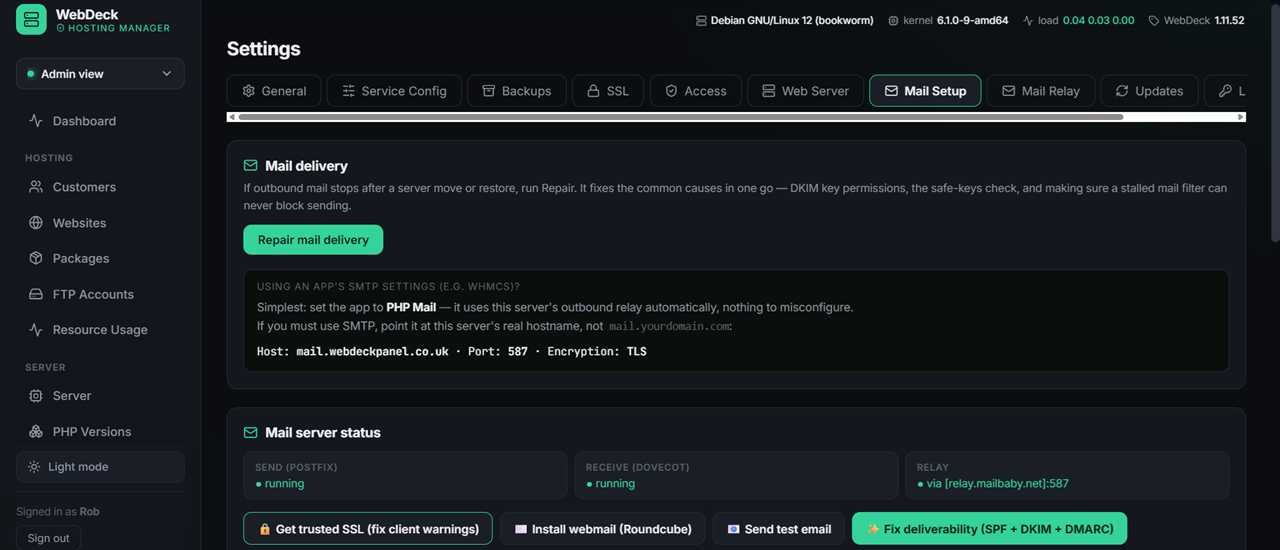
Full email hosting with deliverability sorted for you — DKIM, SPF and DMARC set up automatically, so your mail is trusted and lands in the inbox, not the spam folder. Create mailboxes, forwarders, aliases and a catch-all in a couple of clicks, with webmail and filtering built in.
- DKIM, SPF and DMARC configured automatically
- Unlimited mailboxes, aliases and forwarders
- Catch-all address — never lose mail sent to your domain
- Webmail with spam and virus filtering
- Per-mailbox quotas you control

Databases & phpMyAdmin
Create and manage MySQL/MariaDB databases and users in a couple of clicks, with phpMyAdmin ready whenever you need it.
- One-click database creation
- Manage users and permissions easily
- phpMyAdmin built in
- Per-site database limits

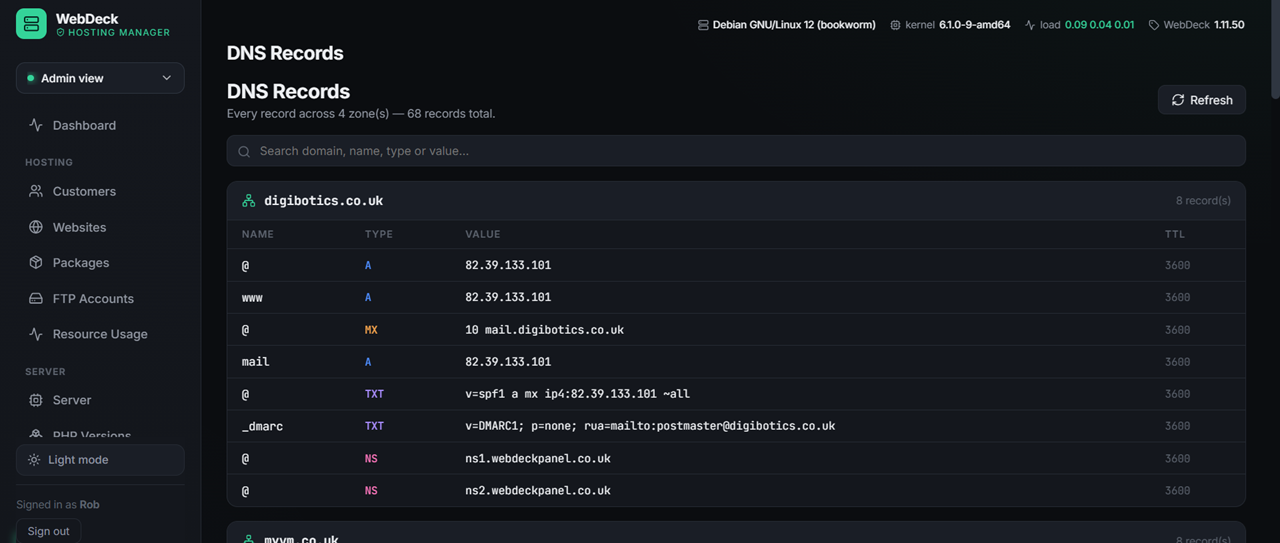
Authoritative DNS
Manage your DNS zones right in the panel. Records are created for you when you add a site, and you can edit anything you need.
- Automatic zone creation with each website
- A, AAAA, CNAME, MX, TXT, SRV and more
- Full control over every record
- "Point your domain here" helper — a live check that your domain is set up right
- Sensible defaults so mail and web just work

Backups & disaster recovery
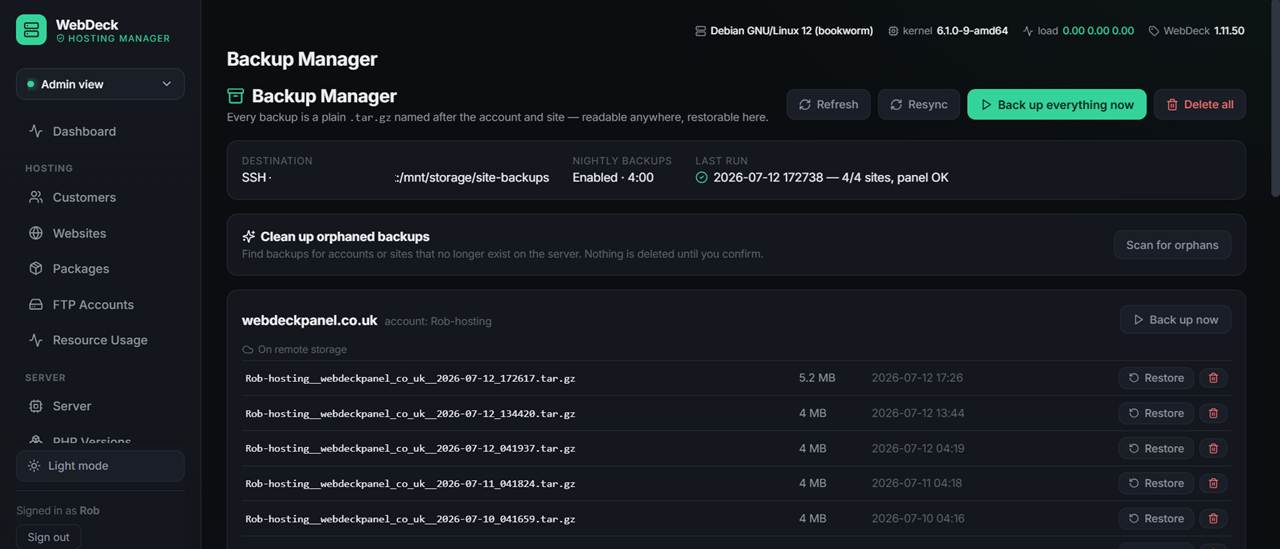
Automatic daily backups to local and off-site storage, with one-click restore. A mistake, a bad update or a hack is never the end of the world.
- Daily automatic backups
- Off-site copies via restic and rclone
- One-click restore of files or databases
- Kept safe even if the server has a bad day

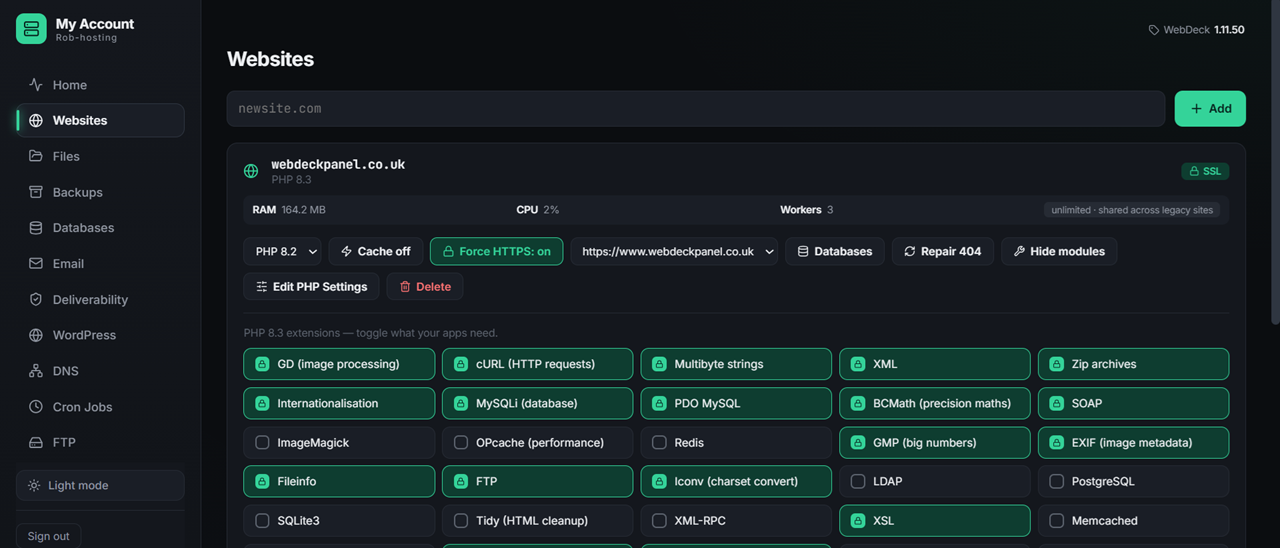
Your own isolated PHP — per website
Every website you host runs in its own isolated PHP environment: its own version, its own extensions and its own settings, backed by dedicated CPU, RAM and process limits. Change a module or a setting on one site and nothing else is touched. It's the per-tenant isolation cPanel needs a CloudLinux licence for — here it's built in, and SELinux stays enforcing.
- Own PHP version per site — 7.4, 8.1, 8.3, your choice
- Own extensions per site — ionCube, ImageMagick and more, on or off
- Own PHP settings — memory limit, upload size, execution time
- Dedicated CPU, RAM & process limits — no noisy neighbours
- No CloudLinux licence — and SELinux stays enforcing

Subdomains and one-click Site Health
Spin up subdomains — blog.yoursite.com, shop.yoursite.com — in a click, each with its own space and SSL. And when something looks off, Site Health checks your files, permissions and certificate and fixes the common problems for you, taking a backup first.
- One-click subdomains with their own docroot and SSL
- Site Health checks — files, permissions and certificate status
- Safe one-click fixes — a backup is always taken first
- Catch problems before your visitors do

SSH & SFTP access, the safe way
Developers get real shell and SFTP access to their own account — powerful, without being a security risk. Add your own SSH keys for password-free logins, and everything is jailed so you only ever see your own files.
- SSH & SFTP to your own account
- Bring your own SSH keys — secure, key-based login
- Jailed to your account — you only ever see your own files
- Hardened by default — jail mounts locked down (nosuid, nodev)

Free SSL, malware scanning and a hardened server
Every site gets a free, auto-renewing SSL certificate the moment it goes live — a trusted padlock from minute one. Run an on-demand malware scan of your files whenever you like, and relax knowing the server is firewalled, rate-limited and patched by our UK team.
- Free auto-renewing SSL on every website
- On-demand malware scanning (ClamAV) of your files
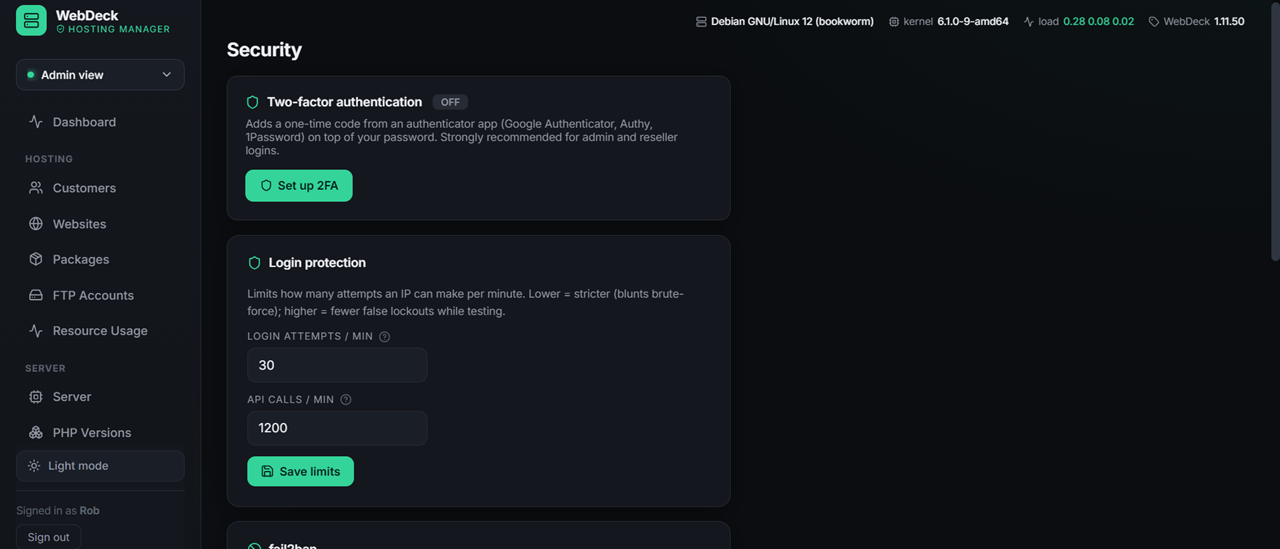
- Firewall, fail2ban & login rate-limiting built in
- Patched and monitored by our UK team

See exactly how your site's doing
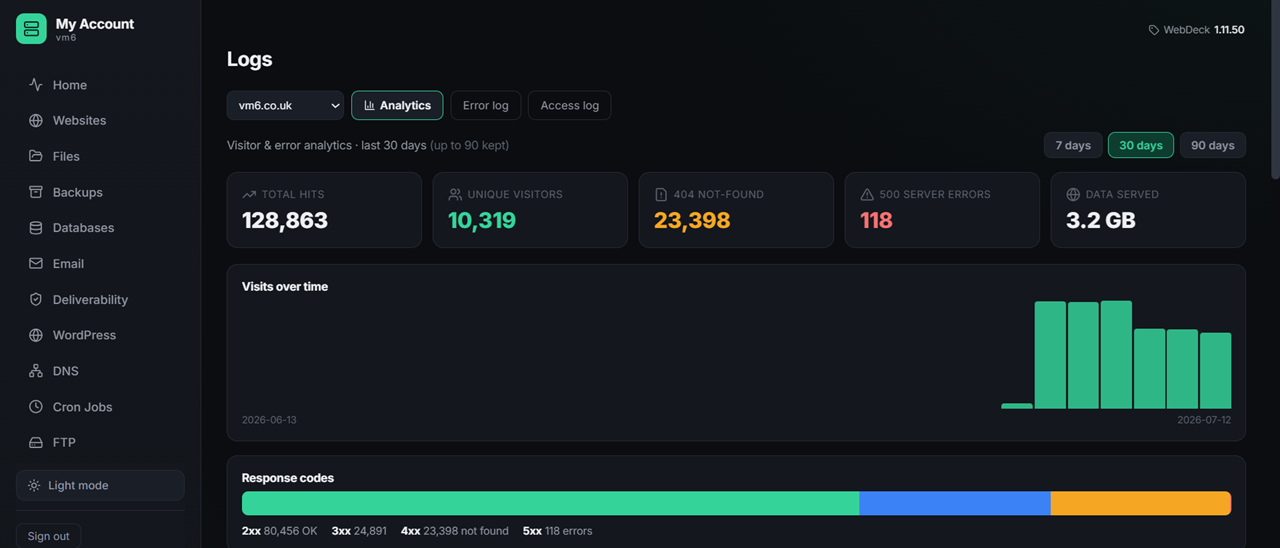
Clear usage bars show your CPU, memory, disk and traffic at a glance, and per-site access and error logs are right there when you need to debug. No guesswork, and no support ticket required to find out what's going on.
- Live usage bars — CPU, RAM, tasks, disk and traffic
- Per-site access & error logs for quick debugging
- Know when you're outgrowing your plan — before it bites
- All in one clean dashboard

A proper file manager, right in your browser
Fix a config typo, upload a logo or check a permission without opening a terminal or installing FileZilla. Browse your whole site in a tree view, edit files in the browser and save instantly — and if you'd rather use an FTP client, you can do that too.
- Browse your site with a proper tree view
- Edit files in the browser — syntax-friendly, saves instantly
- Drag-and-drop upload and download
- Create, rename, move and delete folders and files
- Change permissions (chmod) without touching a terminal
- FTP accounts too, if you prefer a client

Scheduled tasks without the cron anxiety
Set up scheduled jobs from the panel with presets for the schedules you actually use — hourly, nightly, weekly — and the full cron syntax there if you know what you're doing. Handy for WordPress too: set up a real cron so scheduled posts genuinely publish on time.
- Create and edit scheduled tasks in the panel
- Presets for hourly, nightly and weekly
- Full cron syntax available when you need it
- Proper WordPress cron — scheduled posts publish on time
- Delete a job without editing a crontab by hand

Redirects in a couple of clicks
Moved a page, rebranded, or want the old domain pointing at the new one? Set up 301 and 302 redirects straight from the panel — no .htaccess editing, no broken links, and your search rankings carry over the way they should.
- 301 permanent and 302 temporary redirects
- No .htaccess editing — set it in the panel
- Keep your SEO when pages or domains move
- Point old domains at your new site

Every app you can install in one click
Pick an app, click install, and it's live. The database, permissions, config and SSL are all set up for you — no downloads, no FTP, no setup wizards to fight with.
Websites & blogs
E-commerce
Business, CRM & billing
Support & helpdesk
Files, docs & productivity
Community, media & tools
New apps are added regularly, and they're included free with your VM6 hosting — explore the panel at webdeckpanel.co.uk.
UK web hosting questions, answered
Try it on a real site, not a spec sheet
Move one site across and see how it behaves on a Tuesday afternoon when your traffic spikes. If it is not what we said it is, we will refund you.