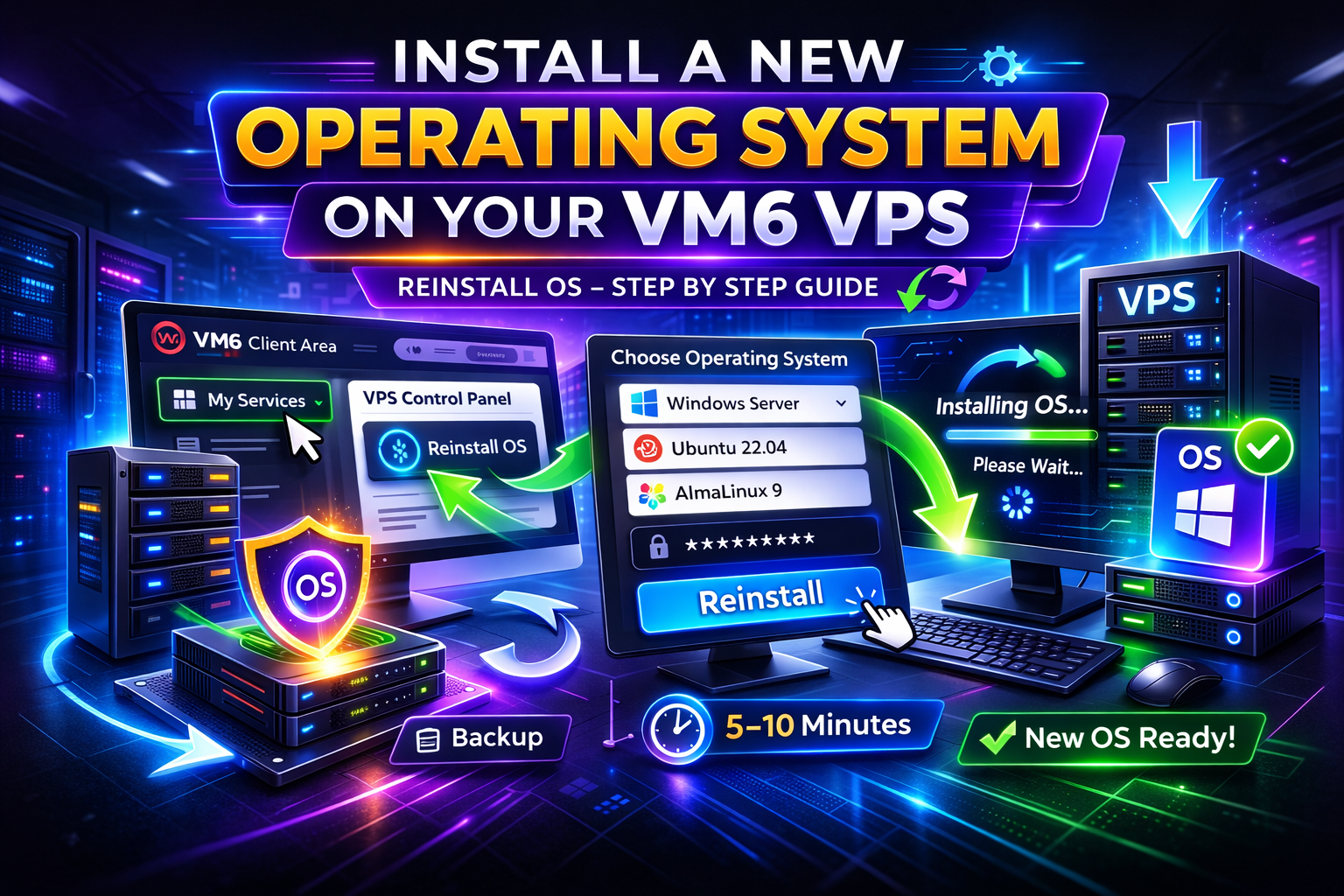
This guide explains how to reinstall or change the operating system on your VM6 High Performance UK VPS using the client control panel. This is useful if you want to reset your server, switch OS, or repair a broken system.
Warning: Reinstalling an OS will permanently erase all data on your VPS. Make sure you back up anything important before continuing.
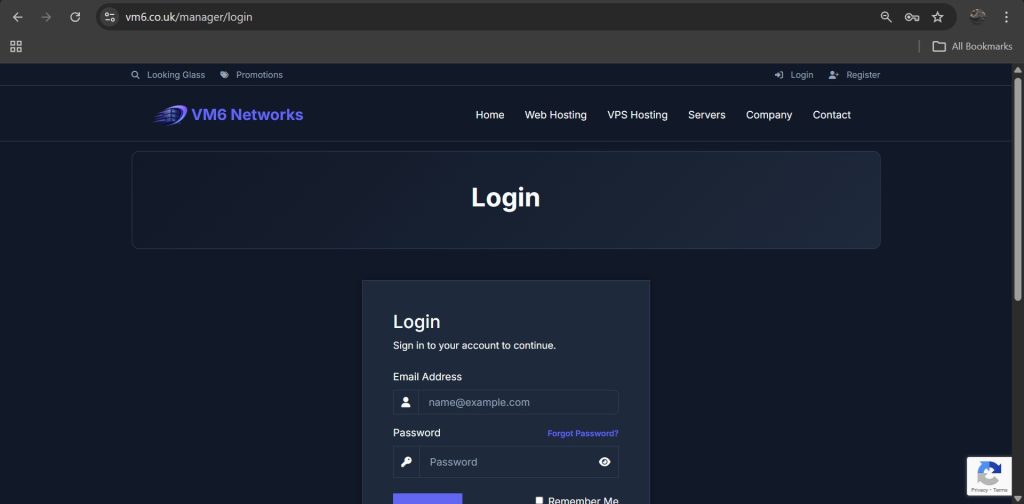
Step 1 — Login to Client Area
- Open your browser
- Go to:
https://www.vm6.co.uk/manager/login
- Enter your login details
- Click Login
Step 2 — Open Your Services
- Once logged in, go to the top navigation bar
- Click Client Menu
- Select My Services

Step 3 — Select Your VPS
On the My Services page you will see your active services.
Important: Click anywhere on the VPS box except the hostname.
The hostname link opens IP information, not the VPS control panel.
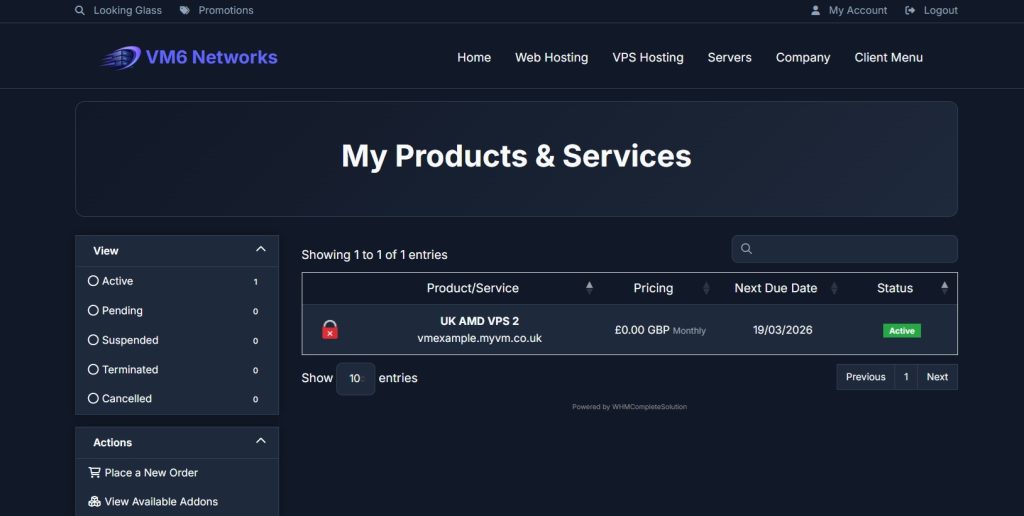
Step 4 — Scroll to VPS Control Panel
Scroll down until you see the section titled:
VPS Control Panel
This may take a few seconds to load depending on your connection.

Step 5 — Open Reinstall OS Tool
Inside the control panel look for the install option:
- Then Find the Reinstall OS and then
- Click it
Step 6 — Choose Operating System
You will now see a list of available operating systems.
- Select your desired OS
- Select version if options exist
- Enter password if required
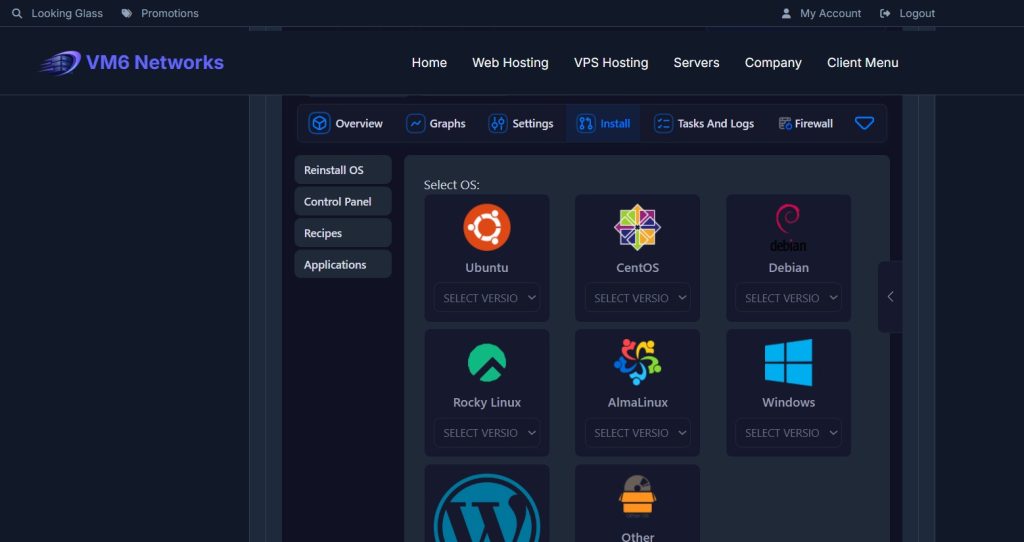
Step 7 — Confirm Installation
- Click Reinstall
- Confirm the warning prompt
Your VPS will now begin reinstalling the operating system.
Typical install time: 5–10 minutes.
Step 8 — Wait for Installation to Finish
During installation:
- Your VPS will reboot automatically
- The control panel may temporarily show offline
- This is normal
Do not interrupt the process.
Step 9 — Login to Your Server
Once installation is complete:
- Use Remote Desktop for Windows servers
- Use SSH for Linux servers
- Or open browser console via VNC
If you’re unsure how to access console, see our guide:
How to Access Your VPS Console via Browser (HTML5 VNC)
Common Issues & Fixes
Reinstall Button Missing
- Your VPS may be provisioning
- Page may need refresh
Install Stuck
- Wait 10 minutes
- Refresh panel
- Open console to check progress
Wrong OS Installed
- Simply reinstall again with correct selection
Best Practices
- Always backup data before reinstall
- Use strong passwords
- Verify OS before clicking reinstall
- Wait for completion before reconnecting
Summary
Reinstalling your VM6 VPS operating system is quick and easy using the control panel. The process takes only a few minutes and is the fastest way to reset or change your server environment.