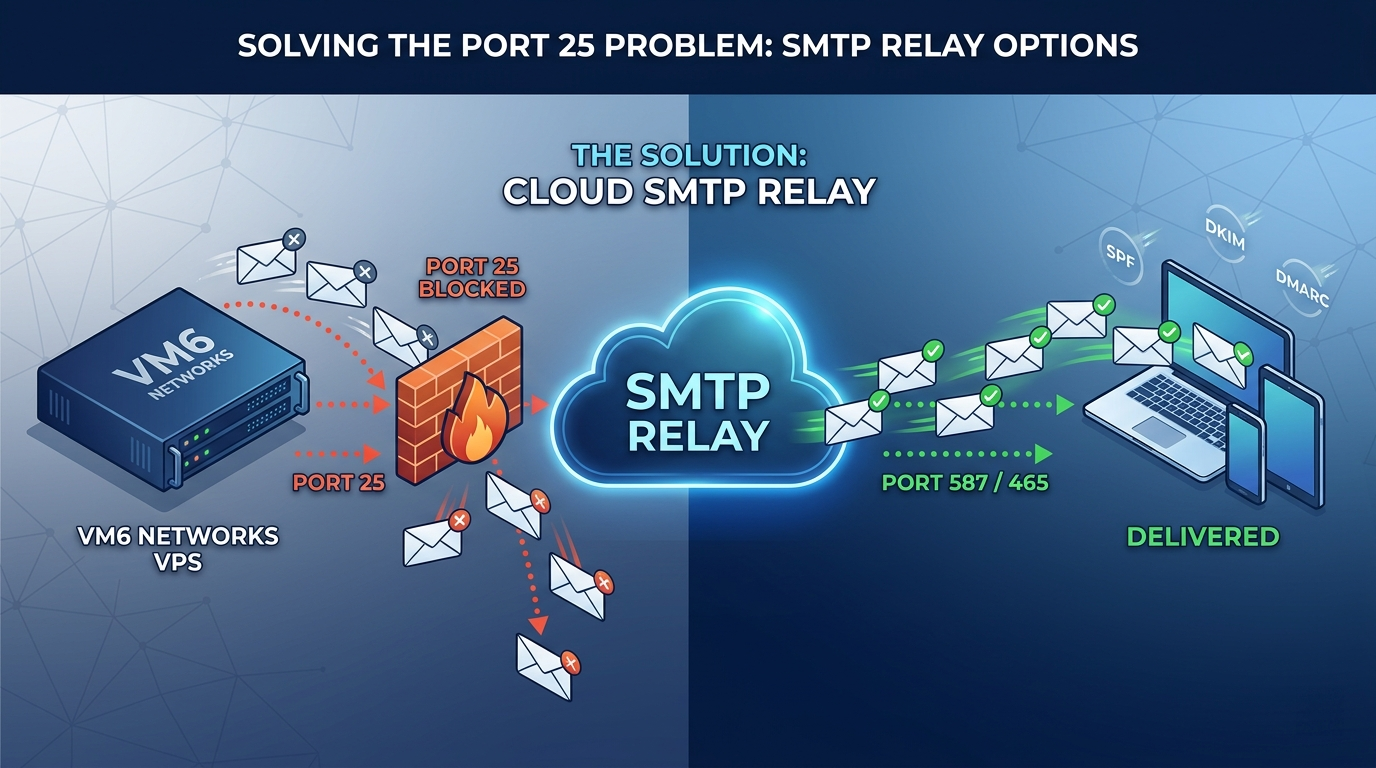
Running your own VPS gives you flexibility and control, but sending email directly from a server can quickly become complicated. At VM6 Networks, we provide fast and reliable UK VPS hosting, but outbound email delivery is one area where using a specialist SMTP relay is often the smarter choice.
Many VPS providers restrict outbound Port 25 to protect network reputation, reduce spam abuse, and prevent IP blacklisting. Instead of requesting Port 25 access for every server, most users are better off using an SMTP relay provider.
Why Use an SMTP Relay with Your VM6 VPS?
- No Port 25 required: SMTP relay services usually work over ports 587 or 465.
- Better deliverability: Relay providers specialise in getting email into inboxes.
- Less server maintenance: No need to manage Postfix, Exim, DKIM signing, queues, or blacklist monitoring yourself.
- Works with WordPress: Most services integrate easily with SMTP plugins.
- Ideal for transactional email: Password resets, invoices, contact forms, order emails, and app notifications.
Free SMTP Relay Services
These providers are suitable for small websites, WordPress installs, development projects, and low-volume transactional email. Limits and pricing can change, so always check the provider’s current pricing page before relying on them in production.
| Provider | Free Allowance | Best For | Main Catch |
|---|---|---|---|
| Brevo | 300 emails/day | WordPress sites and small businesses | Daily limit does not roll over |
| SMTP2GO | 1,000 emails/month | Reliable low-volume sending | Lower monthly allowance |
| SendPulse SMTP | 12,000 emails/month | Free transactional email volume | Account limits and approval may apply |
| Mailtrap | Free testing/sending plans available | Developers and testing workflows | Best suited to development and transactional use |
| Mailjet | 6,000 emails/month, 200/day | Simple SMTP relay and email marketing | Daily cap on the free plan |
Low-Cost Paid SMTP Relay Services
| Provider | Typical Starting Cost | Best For | Why Choose It? |
|---|---|---|---|
| Mail.baby | $1/month + usage | VPS users needing cheap relay access | Very low entry cost and simple SMTP relay setup |
| Amazon SES | Pay-as-you-go | High-volume transactional email | Extremely low cost at scale |
| SMTP2GO Paid | Paid tiers available from low monthly plans | Businesses wanting strong deliverability | Good reputation, reports, and support |
| Postmark | Paid plans from around 10,000 emails/month | Production transactional email | Fast, reliable delivery for apps and SaaS platforms |
| Mailgun | Free and paid tiers available | Developers and API-based sending | Powerful email API and SMTP support |
Which SMTP Relay Should VM6 Customers Choose?
- Small WordPress website: Brevo or Mailjet
- Developer testing: Mailtrap
- Cheap VPS-friendly SMTP relay: Mail.baby
- High-volume app email: Amazon SES
- Reliable production transactional email: Postmark or SMTP2GO
How to Use an SMTP Relay on a VM6 VPS
Most SMTP providers will give you the following details:
- SMTP hostname
- SMTP port, usually 587 or 465
- SMTP username
- SMTP password or API key
- SPF, DKIM, and sometimes DMARC DNS records
Once configured, your VM6 UK VPS can send email securely without needing direct outbound Port 25 access.
Important DNS Records
For best deliverability, always configure:
- SPF: Authorises the SMTP provider to send mail for your domain.
- DKIM: Adds cryptographic signing to prove the message is genuine.
- DMARC: Helps mailbox providers decide how to handle unauthorised mail.
Final Thoughts
Running your own mail server is possible, but for most VPS users it is not worth the deliverability risk, maintenance, or blacklist management. Using a trusted SMTP relay is easier, safer, and more reliable.
If you need a fast Linux or Windows VPS to host your website, application, or WordPress project, explore our UK VPS hosting plans at VM6 Networks.